Running Local LLMs in 2026: Hardware, Models and Tools
What it really takes to run capable language models on your own machine — realistic hardware requirements, the best open-weight models, and when local beats the cloud.

Elena Ruiz
AI & Tools Writer

Marcus Webb
Fact Checked
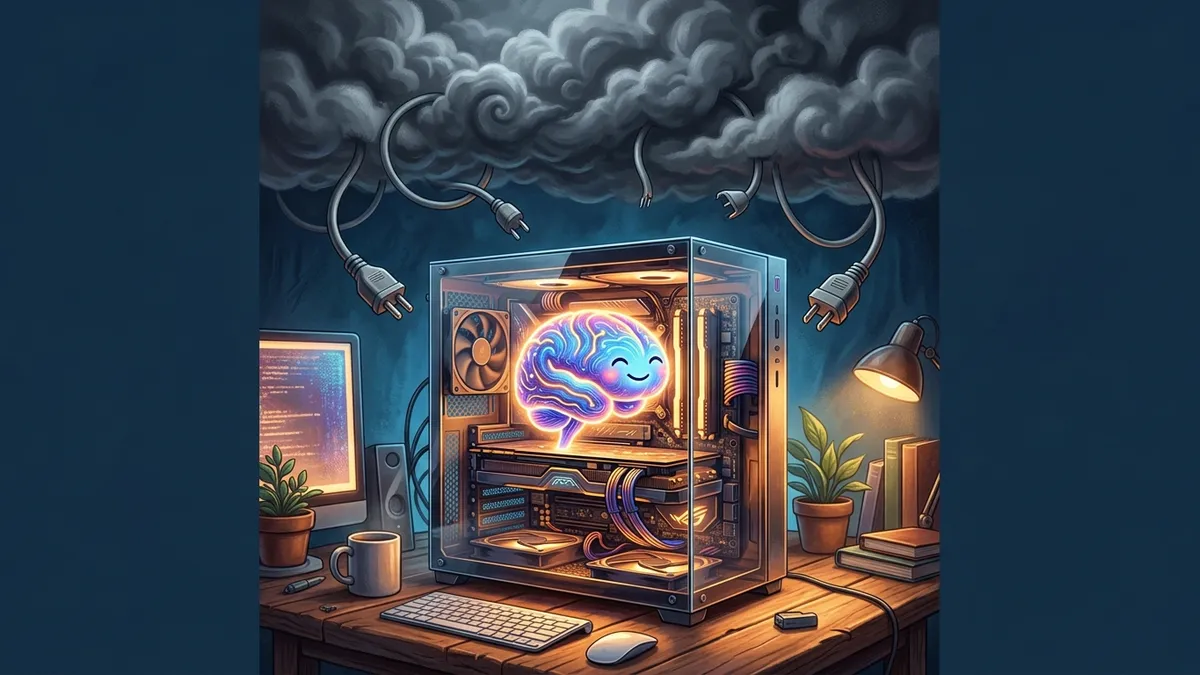
A few years ago, running a language model on your own computer was a party trick — slow, dumb and mostly demonstrating that it could be done. That era is over. Open-weight models have improved so fast that a mid-range gaming laptop now runs models that would have been state-of-the-art commercial products not long ago, and a well-specced workstation runs genuinely capable coding assistants entirely offline.
This guide covers the practical questions: what hardware you actually need, which models are worth your disk space, which tools to use, and — most honestly — when local LLMs make sense versus just calling an API.
Why bother running models locally?
Four reasons hold up in practice:
- Privacy that isn’t a policy — it’s physics. Medical notes, legal documents, proprietary code: nothing leaves the machine. For some professions this is the difference between “can use AI” and “cannot.”
- No metering. Batch-process ten thousand documents, run experiments all night, let an agent loop without watching a billing dashboard. Marginal cost: electricity.
- Offline and latency-stable. Planes, air-gapped environments, flaky connections, demos that must not depend on someone else’s status page.
- Control and learning. Pin exact model versions forever, fine-tune on your data, and — not to be underrated — actually understand the stack. Nothing demystifies LLMs like watching one run on your own GPU. (Pair this with our plain-English explainer on how LLMs work and the magic becomes machinery.)
The honest counterweight: frontier cloud models remain smarter. For hard reasoning, complex agentic coding or subtle writing, hosted frontier models still clearly beat anything that fits in consumer hardware. Local shines where tasks are well-scoped — and a huge share of real work is exactly that.
Hardware: one number decides everything
The spec that matters is how much memory your accelerator can dedicate to the model: VRAM on discrete GPUs, unified memory on Apple Silicon and modern AMD APUs. The model’s weights must fit (in quantized form), plus working space for context.
Rules of thumb that hold up (4-bit quantization assumed):
| Memory available | What runs comfortably | What that’s good for |
|---|---|---|
| 8 GB | 7–8B models | Summarization, extraction, chat, autocomplete |
| 16 GB | 13–14B models + long context | Solid general assistant, decent coding help |
| 24 GB | ~30B class models | Genuinely capable coding and analysis |
| 48–64 GB | 70B class / large MoE quantized | Near-flagship open-model quality |
| 128 GB+ unified | The big open MoE models | The best that open weights offer |
Three practical notes. First, Apple Silicon is a legitimately great platform — unified memory means a MacBook with 32–64GB runs models that would need an expensive discrete GPU on PC, at excellent tokens-per-watt. Second, on PC, used/previous-gen GPUs with lots of VRAM often beat newer cards with less — memory capacity outranks compute speed for inference. Third, CPU-only inference works (llama.cpp is remarkable) but treat it as fallback: fine for small models and patience, not for daily driving.
Quantization: the enabling trick
Models are trained in 16-bit precision — a 70B model is ~140GB raw, absurd for consumer hardware. Quantization stores weights at lower precision (8, 5, 4 bits…), shrinking size and memory traffic dramatically. A 70B model at 4-bit is ~40GB. Quality degrades surprisingly gracefully: 8-bit is essentially lossless, 4-bit costs a few points on benchmarks but preserves the model’s character, and below 3-bit degradation gets obvious.
Practical rule: take the biggest parameter count you can fit at 4-bit rather than a smaller model at higher precision — parameter count usually wins. You’ll meet this as GGUF files with names like Q4_K_M (the community-standard llama.cpp format); that suffix is the sweet spot most people should download.
Which models are worth your disk space
Specific rankings age in weeks, so here’s the durable map of the open-weight landscape instead:
- The major open families — Meta’s Llama line, Alibaba’s Qwen, Mistral’s models, DeepSeek’s releases, Google’s Gemma, plus strong entries from Microsoft (Phi) and others — each ship multiple sizes with regular refreshes. Qwen and DeepSeek in particular pushed open coding and reasoning quality dramatically.
- Size classes matter more than brands: ~4B for fast drafting and edge devices; 7–14B as the daily-driver class for chat, extraction, RAG answering; ~30B where serious coding competence starts; 70B+ and Mixture-of-Experts models where open weights genuinely rival commercial offerings.
- Distilled reasoning models — small models trained on the thinking traces of large ones — brought step-by-step reasoning to hardware that fits under a desk. They “think out loud” (slower, more tokens) but solve problems small models previously couldn’t.
- Check a leaderboard, then check your own tasks. Community leaderboards and arenas tell you what’s current; your own five test prompts tell you what’s good for you. Benchmarks and reality diverge more than anyone admits.
One overlooked factor: licenses vary. Most open-weight licenses are fine for personal and commercial use, some restrict scale or use cases — worth thirty seconds of reading if you’re shipping a product. (If you’re deploying AI features in Europe, our EU AI Act guide for developers covers the regulatory side.)
Tools: from zero to serving
Start here — Ollama. One installer, then:
ollama pull qwen3:14b
ollama run qwen3:14b
It manages downloads, quantization variants, GPU offloading, and exposes an OpenAI-compatible API on localhost — meaning nearly any AI app or library can point at it by changing a base URL. For a GUI-first experience, LM Studio is the equivalent with a friendly interface, model browser and chat UI built in.
The layer below — llama.cpp. The C++ engine powering much of the ecosystem. Go direct when you want maximum control (exact quantizations, exotic hardware, embedded use). Its llama-server gives you the same OpenAI-compatible endpoint.
Scaling up — vLLM. When “my machine” becomes “our GPU server” and you need throughput for many concurrent users, vLLM’s batching delivers order-of-magnitude better utilization than desktop tools. That’s the point where you’re running inference infrastructure, not a local model.
Wiring it into your editor: most AI coding extensions accept a custom OpenAI-compatible endpoint — point them at Ollama and your autocomplete runs on your own silicon (our VS Code extensions roundup flags which assistants support this cleanly).
Local vs cloud: the honest decision
Run local when: data cannot leave your control; volume is high and tasks are simple (classification, extraction, summarization at scale); you need offline; you’re learning, researching or fine-tuning; or predictable fixed costs beat variable API bills.
Use cloud APIs when: you need the smartest available model (frontier reasoning, agentic coding); traffic is spiky and low-volume (APIs are cheaper than idle GPUs); or you don’t want to own the ops.
The pattern that wins in practice is hybrid routing: local models handle the bulk of easy calls; hard cases escalate to a frontier API. Because everything speaks the OpenAI-compatible protocol, this is often a few lines of routing logic — and it can cut AI spend dramatically while improving privacy posture.
Final Thoughts
Local LLMs crossed the seriousness threshold. The hardware question collapsed to one number (memory), the software question to one tool (Ollama to start), and the model question to one habit (check a leaderboard, verify on your own tasks). For scoped tasks — the summarizing, extracting, drafting and boilerplate that fill real workdays — models running on your own machine are quietly excellent, private by construction and free at the margin.
Frontier clouds keep the crown for the hardest problems, and the hybrid pattern gets you both. But the door is open in a way it simply wasn’t before: the same class of technology that runs behind billion-dollar APIs now also runs, unmetered and unsupervised, on the computer you already own. For a technology this consequential, that alternative existing matters — and it’s never been easier to try it than tonight.